Shadow Dungeon Guides
Start, fight, level, filter loot, and set up Shadow Dungeon for 1.0.1.
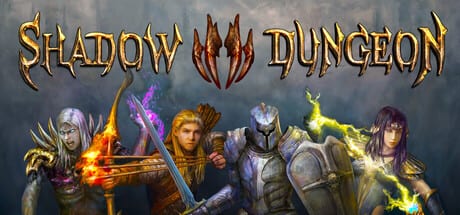
This guides hub is the practical layer of the Shadow Dungeon wiki: how to start, how combat feels in 1.0, how XP actually works, and how to set up keyboard, mouse, controller, and Steam Deck. It is written against Steam news for 1.0 (August 26, 2026) and 1.0.1 (August 27, 2026), not against invented keybind tables or premium XP passes.
The game is single-player. There is no co-op guide and no microtransaction guide. Campaign length is about 30–50 hours, finishing near level 99–100, then Paragon. After the story, use Greater Rifts.
Who should read what
New players
Start with Getting Started (class choice, no class change, Treasure Sprites, first hours). Then Combat so mouse movement and controller auto-target make sense. Use Leveling as soon as you notice that grinding an early map does not raise later map monster levels — drops and XP follow the map.
Demo players and returning buyers
Demo and System Requirements covers the free demo, PC specs, 1.0 particle/FPS work, and 1.0.1 extra resolutions. Controls and Settings covers official 1.0/1.0.1 input notes and Steam accessibility tags.
Endgame-minded players
Leveling into Paragon, then Greater Rifts, is the published loop. Combat and controls still matter on Inferno. Pair this hub with the Walkthrough and Builds.
All guides
Getting Started
Four classes, no class change, Treasure Sprites, map-tied loot, Paragon after 100, and a demo gameplay video.
Combat
How 1.0 combat is meant to be played: mouse movement, controller auto-target and auto-attack, per-skill targeting, one-button buff potions. No fake full WASD table presented as OO Cat’s defaults.
Leveling Guide
Map-tied XP and drops, story end near 99–100, then Paragon. No co-op XP, no premium subscription, no invented farm names.
Controls and Settings
1.0 mouse movement, L1/R1 paging, customizable cursor, Steam Deck X/A/Y skill points, 1.0.1 controller and resolution fixes. Steam tags: Camera Comfort, Contrast Controls, Custom Volume Controls, Save Anytime, Full controller support.
Demo and System Requirements
Free demo, Windows specs from the store, Steam Deck notes from 1.0, particle reduction and FPS, more resolutions in 1.0.1.
Loot Filter and Auto Pickup
Treasure Sprite salvage, 1.0.1 auto-salvage, backpack sort, and Steam filter questions without a fake checkbox table.
Farming and Loot
Map-tied drops, boss loops without fake arena names, Treasure Sprites, then Greater Rifts.
Steam Deck and Performance
Official 1.0 X/A/Y layouts, larger fonts, scaled maps, 1.0.1 resolutions and controller fixes.
Codes
No redeem codes and no cash shop. Loot is earned in combat.
DPS Tester
The 1.0 dummy that can hit you so counterattack skills actually fire.
How to use this hub
Read one guide at a time. Getting Started plus Combat is enough for the first dungeon maps. Add Leveling when the curve steepens. Add Controls if you play on Deck or pad. Add Loot Filter when the floor fills faster than you can click. For loot systems see Items including weapon affixes, runes and Treasure Sprites. For patches see Updates Hub.
Official developer posts: YouTube and X. Store and news: Steam.
Frequently Asked Questions
Quick answers to the most common questions about Shadow Dungeon.
What is the best guide to read first for a new player?
Getting Started, then Combat. Those two cover class choice (no later change), Treasure Sprites, and 1.0 input. Leveling is next so you do not waste time on a fake overlevel farm.
How often are these guides updated?
When Steam news changes the client. Live version as of August 27, 2026 is 1.0.1. Check the Updates Hub after patches.
I am stuck on a specific part of the game. Which guide can help?
Combat and Leveling for systems. The Walkthrough hub for chapters, bosses, Mystic Dungeon Challenges, and Greater Rifts. Builds for class trees. Items for runes and sprites.
Are these guides the same as the in-game tutorials?
No. Tutorials teach buttons in the client. These pages quote 1.0/1.0.1 notes (map-tied drops, Greater Rifts, Deck layouts) that a short tutorial cannot cover.
Is there a co-op or premium XP guide?
No. Shadow Dungeon is single-player with no microtransactions and no premium XP subscription. Anyone selling a pass is not describing this game.